

Email Hardening Service
Professional Email
Without the Friction.
Whether you are fighting the spam folder or outgrowing your current provider, I provide the technical backbone to ensure your firm’s communication is secure, verified, and reliable.
* 100% of diagnostic fee credited toward any project booked within 30 days.
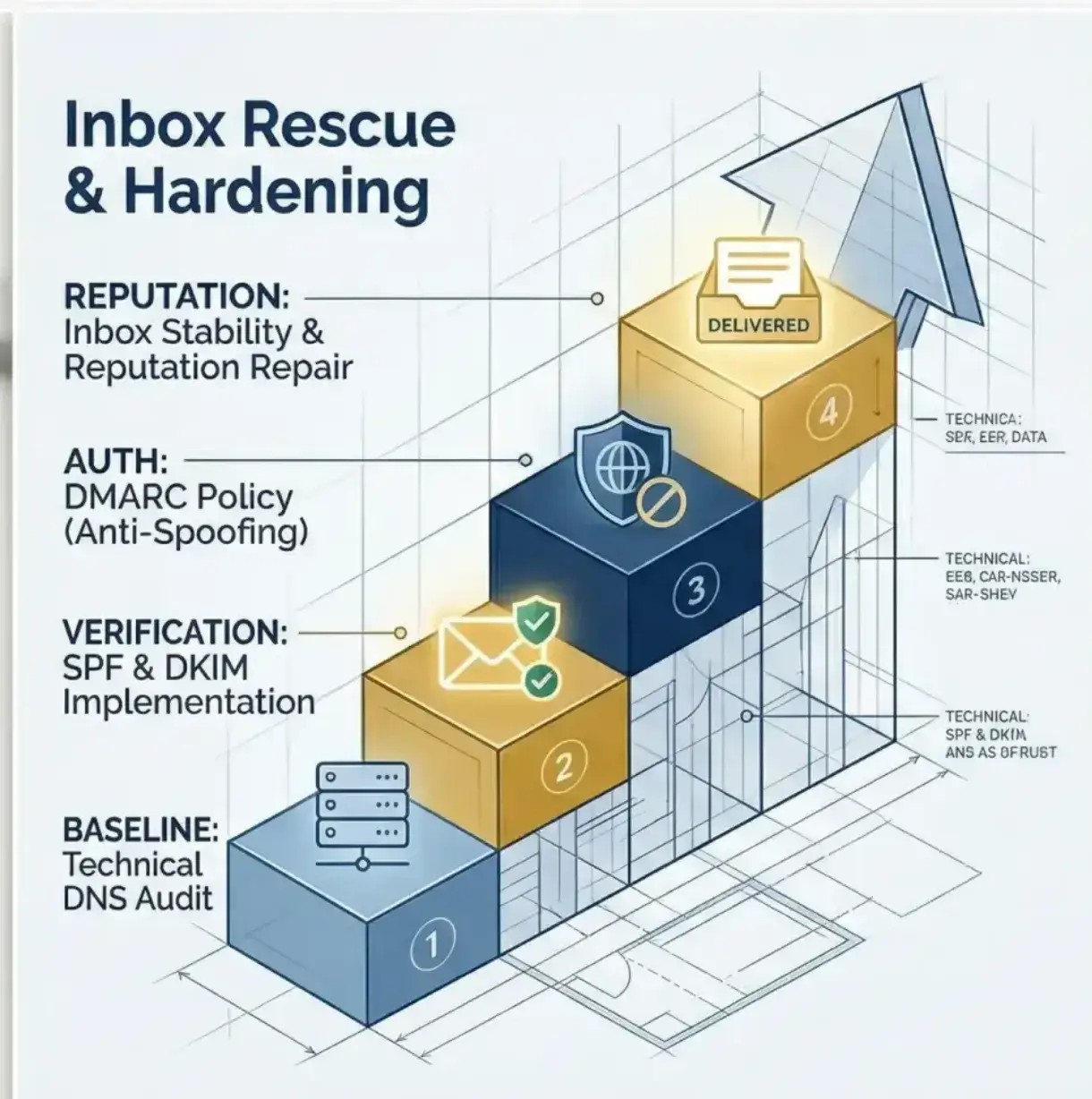
The Inbox Rescue Roadmap
Moving your domain from a liability to a verified professional asset in four deliberate steps.
Step 01
The Leak Identification
We start where the money is being lost. Whether your invoices are hitting spam or scammers are spoofing your domain, I identify the exact technical failure point.
Step 02
The 14-Point DNS Audit
I perform a deep-dive analysis of your underlying records against the 14 critical configuration points required by the 2024 mandates.
Step 03
Protocol Hardening
Full technical implementation of the SPF, DKIM, and DMARC triad. I resolve DNS conflicts and build a digital perimeter.
Step 04
Verified Stability
The “Green Check” result. Your reputation is restored, messages bypass filters, and you receive verification for your records.
Infrastructure Hardening
Inbox Rescue & Hardening
$299 Flat Fee Engagement
- ✓ Reputation Repair & Blacklist Check
- ✓ Domain Identity Hardening (SPF/DKIM)
- ✓ Anti-Spoofing Protocols (DMARC)
- ✓ Pre-Hardening Deliverability Stress Test
- ✓ Automated DNS Conflict Resolution
- ✓ Post-Implementation Verification Report
Full Implementation ($299)
Book $75 Diagnostic
Mutual Fit Guarantee: If I determine in the first 10 minutes that I cannot provide a significant lift, I will refund your $75 immediately.
Common Questions
Everything you need to know about securing and moving your firm’s communication.
Q. Will I lose any of my old emails during a migration?
No. My migration process includes a complete preservation of your archive history. Whether you have 10GB or 100GB of historical records, I ensure the entire “information tree” is moved over to your new provider before we switch your live mail flow.
Q. Will my business be “offline” while you fix my spam issues?
I focus on a “Zero-Downtime” approach. Most hardening and rescue work happens in the background of your DNS settings. You can continue sending and receiving as usual while I reconfigure the technical guardrails that verify your professional identity to the world.
Q. Do I need to give you my personal passwords?
In most cases, no. I prefer to work through “Limited Administrator” roles or secure remote sessions. This keeps your personal credentials private while allowing me to perform the necessary architectural upgrades to your workspace.
Q. Should I fix my current email or just migrate to a new one?
This is what we determine during your Diagnostic Consultation. If your current provider is technically sound but just poorly configured, we “Rescue” it. If the provider itself is the bottleneck for your growth, we “Migrate.” We choose the path that offers the least friction for your team.
Q. Will this change how I check my email on my phone?
My goal is “Same Workflow, Better Security.” Whether you use Outlook, Apple Mail, or a mobile app, I ensure your devices stay synced. The only difference you’ll notice is that your messages actually start reaching your clients’ inboxes again.
Still have a specific question?
I’m happy to hear you out and find the right solution for your firm.
Get an Expert Opinion